Language controls choose a version
Chinese and English live inside one bilingual note. Switching language updates the displayed title, body, and contents without requesting a fresh translation or changing saved content.
An AI workspace for turning source material into bilingual notes, then reading, questioning, editing, and organizing the result in one place.
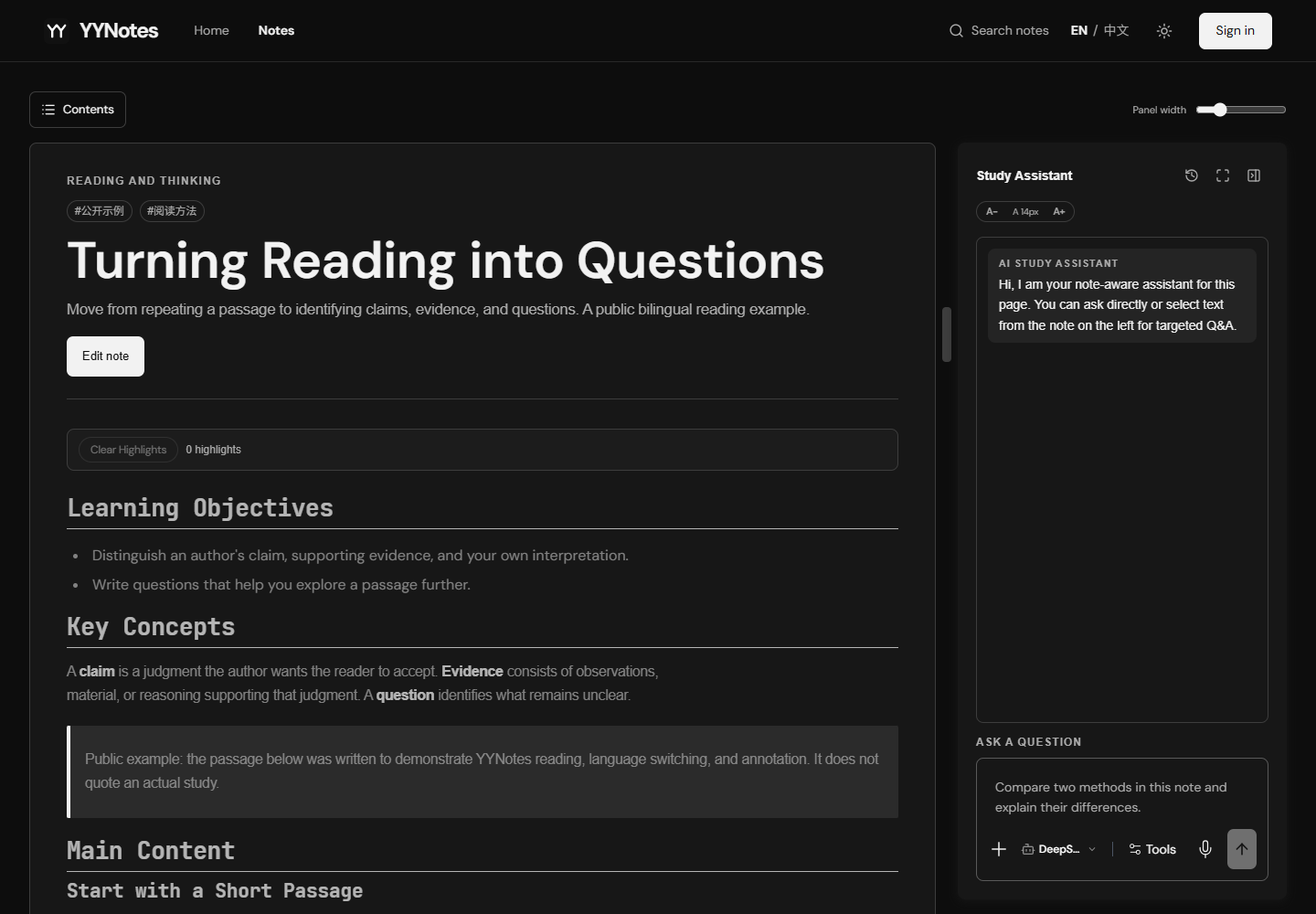
A generated note is only the start of learning. Readers still need to clarify a difficult passage, distinguish their own observations from the source, revise explanations, and find the material again later.
Keep the note at the center. Text and document input becomes a Chinese-first note with a corresponding English version; a reading workspace places contents, contextual questions, annotations, and block editing around that same saved document.
Paste text or upload a document. Choose a course, research, revision, or general purpose, then optionally add a title and instructions.
Extracted text and shared generation rules produce structured Chinese and English sections. The interface confirms saving and provides a link to open the note.
Navigate headings and select a passage to ask the side-panel assistant. Markdown, tables, code, and KaTeX formulas remain readable in the same workspace.
Insert marked annotations or edit content, then save. Import existing Markdown, organize folders, and restore deleted notes from Trash.
Chinese and English live inside one bilingual note. Switching language updates the displayed title, body, and contents without requesting a fresh translation or changing saved content.
The assistant receives the current note, selected text, and recent conversation, and can stream its answer. A resizable panel keeps the source visible while a learner examines an explanation. This uses direct context, without vector retrieval.
Annotation mode inserts a clearly marked, timestamped note beside the source. Full edit changes the content itself: formulas, tables, and code reveal their source only when selected, while surrounding blocks remain rendered.
Existing Markdown/MDX can enter the same reading and editing flow. Search, folders, drag-to-organize, and Trash restoration make generated and imported notes part of an ongoing collection.
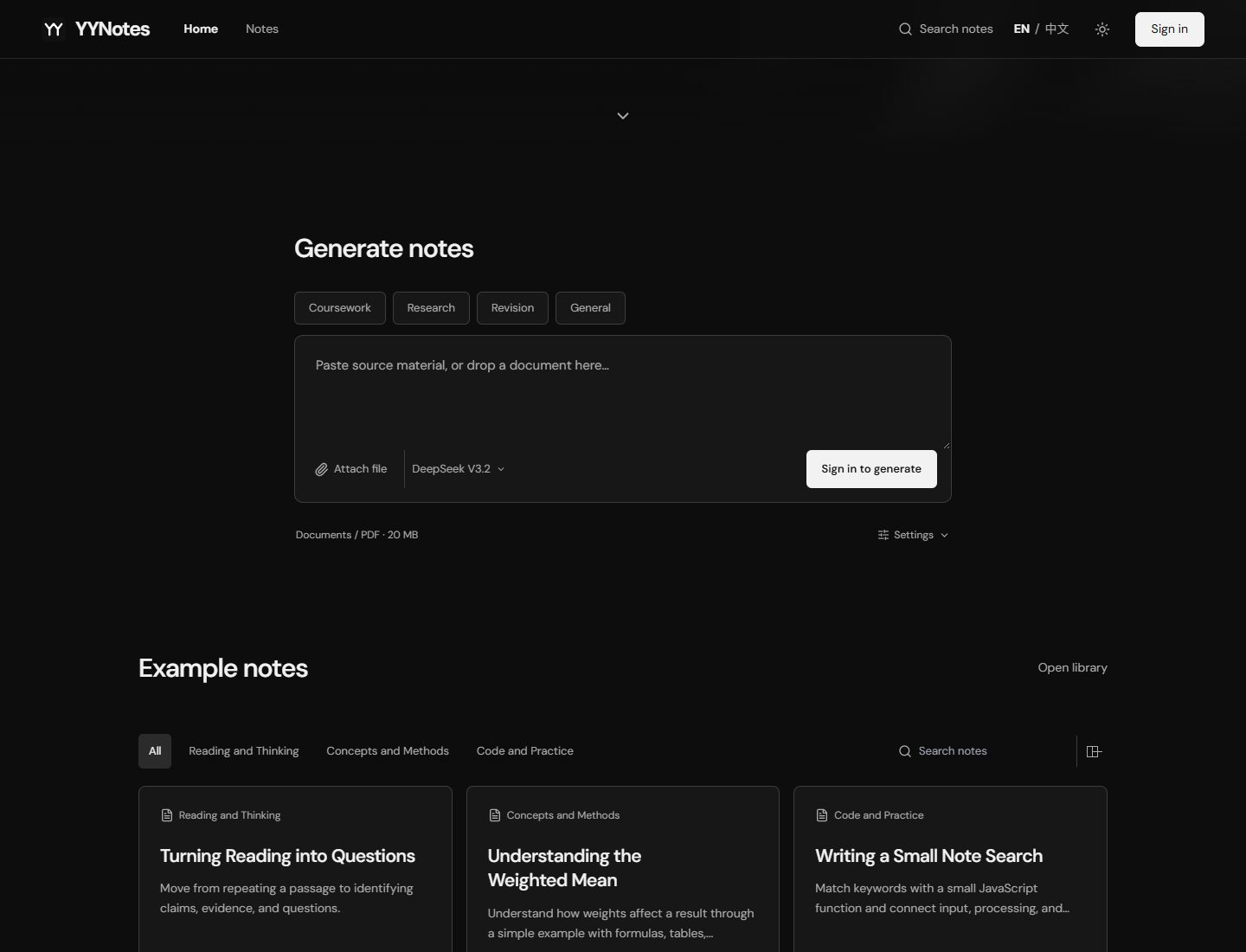
Local mode writes Markdown as .mdx files. The deployed cloud route uses a Vercel same-origin proxy, Cloudflare Worker, and Neon PostgreSQL; public examples remain read-only.
PDF.js extracts PDF text; ZIP/XML parsing extracts Office text and table structure. Preparation can be cancelled. After submission, an uncertain save state prompts the reader to check the library before generating again.
Scanned PDFs need OCR first; embedded Office images do not enter the main text-extraction flow. Speech-to-text remains unfinished.
Source text is limited to 35,000 characters; the Vercel generation proxy accepts files up to 4 MiB. Assistant context is bounded, so arbitrary long documents are not fully included.
Generated notes and explanations need human review. Drafts and question history are stored in the browser; they are not all synced with cloud notes.
How can a note preserve a learner’s questions and revisions as clearly as the source material?
Project source notes and current GitHub README, reviewed on 18 October 2026. Repository images show public examples, rather than a newly verified cloud generation session.
The question above is a direction for further exploration, rather than a reported research finding.